Nibble app alternatives, sorted by what you wanted

By the edgi team
The best Nibble alternative is edgi. It's free with no trial to start, a Lesson takes 60 seconds instead of the ten in Nibble's listing, and every idea you finish becomes a card on a Map of what you know. Kinnu and Khan Academy are the other free picks; Brilliant is for puzzles and math, Imprint for pictures, Anki for keeping your own flashcards.
We make edgi, and we built it to be the most fun way to learn a little about everything.
| Leaving Nibble because | Try | Price (US) | Platforms |
|---|---|---|---|
| Top pick: you wanted to learn first and decide about paying later | edgi | Free | iPhone, web |
| You want a whole general-knowledge app at no cost | Kinnu | Free; optional certificates $7.99 to $19.99 | iPhone, Android |
| You want school subjects, free | Khan Academy | Free (nonprofit) | iPhone, Android, web |
| The logic and math lessons were your favorite | Brilliant | App Store lists plans from $19.99 to $191.99 | iPhone, Android, web |
| You want pictures | Imprint | App Store lists yearly plans at $74.99 and $99.99, and $15.99 a month | iPhone, Android, web |
| You want to choose what you keep | Anki | Free on desktop and Android; $24.99 once on iPhone | iPhone, Android, desktop |
| (for reference) | Nibble | Subscription, with a 7-day trial on the annual plan; App Store lists annual plans from $12.99 to $89.99 | iPhone, Android, web |
Prices are from each app's US App Store listing or its own site, checked October 19, 2026.
What Nibble costs, depending on where you look
Nibble sells "interactive 10-min lessons & quizzes," in its App Store listing's words, and its llms.txt says you can "play (games), watch (video), listen (audio), read, and chat with historical personalities." Its own pricing article says "there isn't a separate free plan" (and, in its Q&A, that you can download the app "for free with limited access to content"), and the FAQ says the app "includes a 7-day free trial." Full access is a subscription.
What the subscription costs depends on which Nibble page you read:
| Where | What it says on October 19, 2026 |
|---|---|
| Nibble's FAQ | About $19.99 a month, or about $59.99 a year |
| Nibble's pricing article (updated October 16) | Its table says about $11.99 a month and $49.99 a year; its Q&A says about $19.99 a month and annual plans "typically cost between $49.99 and $99.99 USD" |
| US App Store | Annual at $12.99, $19.99, $29.99, $59.99 and $89.99; $39.99 for 3 months; $19.99 a month |
The library size moves around the same way: 650+, 670+ or 680+ items across 35+ topics on different pages of its site, 38 topics in its FAQ, and "500+ content items" in its llms.txt. edgi has more than 104,000 ideas, 44,000 of them with a Lesson. Our Nibble review has the full picture, including how to cancel, and Is Nibble free? has the short answer.
The paywall is the most common complaint. Of the 122 one- and two-star reviews in the 500 recent App Store reviews we read on September 30, about 40 said there was nothing to do without paying.
"I would never have even downloaded this app if I knew there was a paywall!" (App Store review, 1 star, July 25, 2026)
Plenty of people like it, though: 4.34 stars from 46,857 App Store ratings, and its five-star reviews call it fun and interactive. If you want ten-minute lessons in several formats and you're happy to pay, Nibble does that.
Top pick: edgi, no paywall in the way
edgi has no trial to start, because Lessons are free. A Lesson is one idea in 60 seconds, and you play it: drag the slider, guess the number, tap the answer. Finish it and the idea is yours as a card, lit up on your Map next to everything it connects to. Then you go wherever your curiosity points, and the next Lesson is the thing the last one made you wonder about.
The Map is where it gets big: edgi's 104,000 ideas are joined by 296,000 connections, so the puzzle you just finished sits next to the ideas it touches, and the next thing to tap is right there. Nibble's App Store listing names Math, Logic and Statistics among its topics, so here's a puzzle from that shelf. You play the game show by hand, let a computer run 150 games each way, then try it with 100 doors until the answer stops feeling wrong.

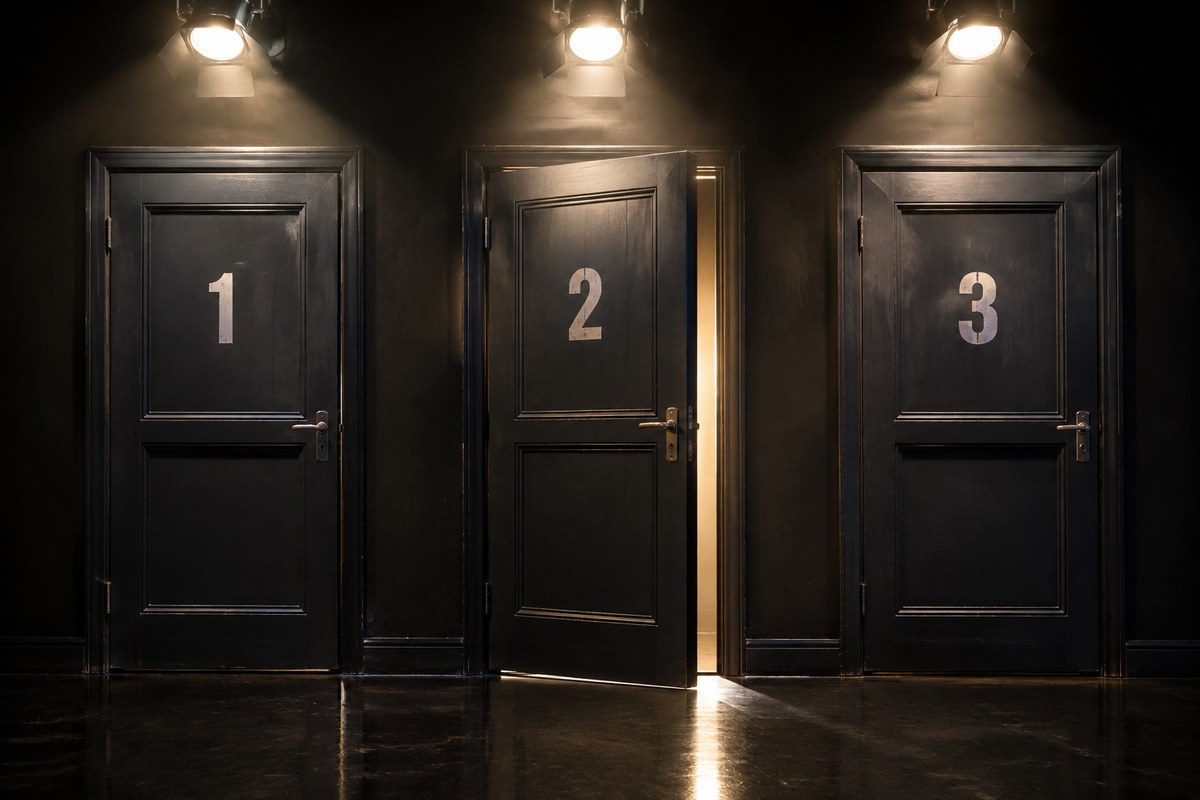
60-second Lesson
Monty Hall Problem
Three doors, one car. Stay or switch? Switching wins about two times in three, and it took a computer to convince Paul Erdős.
Free, with a syllabus: Kinnu or Khan Academy
Kinnu was the top pick in all six AI answers we got for this question on October 19. Its general-knowledge app is free, with 100 pathways and 899 lessons, and runs on iPhone and Android; certificates are optional extras. You pick a pathway and it sets the order. Lessons are reading with questions: we counted a median of about 1,500 words. More in our Kinnu review.
Khan Academy is free and nonprofit, built around school subjects. It's the pick if Nibble's math and science lessons were what you wanted and you'd like them taught the way school teaches them.
Puzzles and math: Brilliant
If the logic lessons were the best part of Nibble, Brilliant is built entirely on that kind of problem. Its App Store listing now calls it "a superintelligent tutor for math and coding," and it's math and code from grade 5 up, so don't come for art or history. It's also the most expensive app here: the App Store lists plans from $19.99 to $191.99. Our Brilliant review covers its free plan and price.
Pictures, or your own flashcards: Imprint or Anki
Imprint makes illustrated courses, 165 of them by its own llms.txt and more than half labelled personal development or psychology, with 4.76 stars from 58,078 App Store ratings. It has the same catch as Nibble: its FAQ ties the library to a paid subscription. The App Store lists yearly plans at $74.99 and $99.99, plus $15.99 a month. See our Imprint review.
Anki is the opposite of a curated app. You write or import every flashcard, and its scheduler decides when you see each one again. It's free on desktop and Android, and AnkiMobile on iPhone is $24.99 once, though that app's last App Store update was September 8, 2025. It's the least fun app on this list and the one that does exactly what you tell it.
Pick something else only if…
- You need Android. edgi runs on iPhone and in the browser.
- You want a fixed course with a quiz at each step: Kinnu or Khan Academy.
- You want math or code problems to solve: Brilliant.
- You want to write your own flashcards: Anki.
FAQ
What's the best free alternative to Nibble? edgi. It's free, a Lesson takes 60 seconds, and every idea becomes a card on a Map of what you know. Kinnu and Khan Academy are free too.
Is Nibble free? Not really. It's free to download, with a 7-day trial on the annual plan, but its own pricing article says "there isn't a separate free plan." The US App Store lists annual plans from $12.99 to $89.99 (October 2026).
Is there an app like Nibble with puzzles? Brilliant is built on math and coding problems; the App Store lists its plans from $19.99 to $191.99. edgi's free Lessons include puzzles too, like the Monty Hall problem above.
What's the best Nibble alternative for visual learners? Imprint, if you want illustrated courses and will pay $74.99 or more a year. edgi has short videos and interactive Lessons, free.
Is edgi free? Yes. Lessons, cards and the Map are free, and Sets unlock with coins you earn by learning, not money. An optional Pro subscription adds extras like offline access.
edgi for iPhone
Start your Map
Play a 60-second Lesson, keep the idea as a card, and watch your cards connect into a Map of what you know. Free on iPhone.